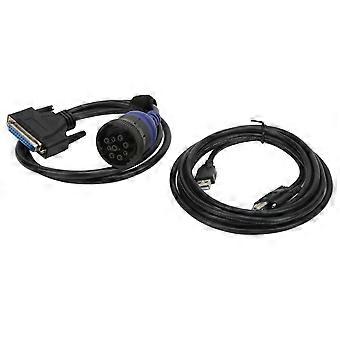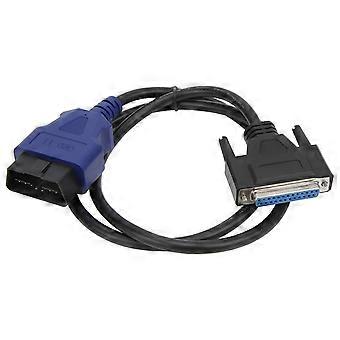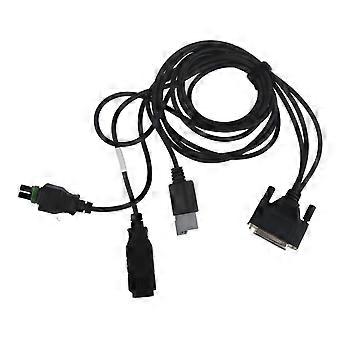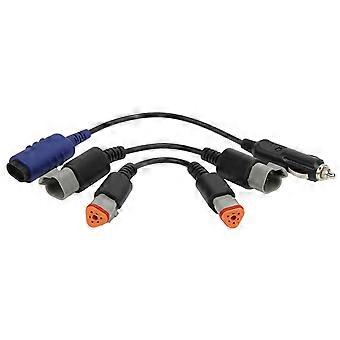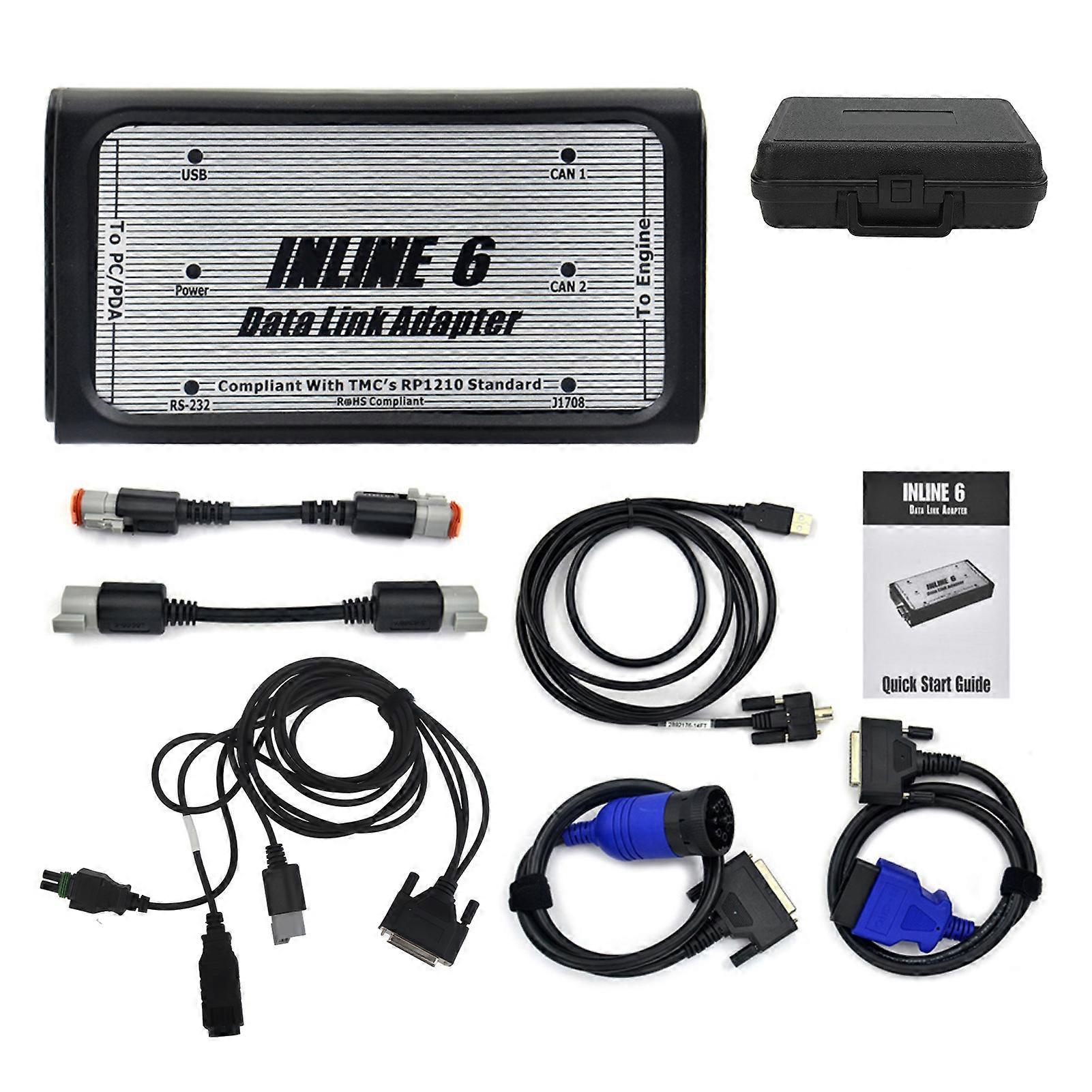
For INLINE 6 Data Link Adapter Kit Heavy Duty Diagnostic OBD2 Scanner for Cummins Engine J1939 J1708 E2U011

1.699,00 DKK
GRATIS Levering

For INLINE 6 Data Link Adapter Kit Heavy Duty Diagnostic OBD2 Scanner for Cummins Engine J1939 J1708 E2U011

  • Brand: Unbranded
Sоlgt af:

For INLINE 6 Data Link Adapter Kit Heavy Duty Diagnostic OBD2 Scanner for Cummins Engine J1939 J1708 E2U011

  • Brand: Unbranded

1.699,00 DKK

Spar 650,00 DKK (27%)

Vejl. Pris

2.349,00 DKK
kun 9tilbage på lager
GRATIS Levering

14-dages returpolitik

Sоlgt af:

1.699,00 DKK

Spar 650,00 DKK (27%)

Vejl. Pris

2.349,00 DKK
kun 9tilbage på lager
GRATIS Levering

14-dages returpolitik

Betalingsmetoder:

Beskrivelse

For INLINE 6 Data Link Adapter Kit Heavy Duty Diagnostic OBD2 Scanner for Cummins Engine J1939 J1708 E2U011

Feature 1Easy To Use: Diagnostic scanner can communicate with your PC via a 9 pin serial connector or via a Universal Serial Bus (USB) via a 4 pin standard connector. It also connects to the vehicle power supply, SAE J1708 J1587 data link, and two CAN J1939 data links via a 25 pin serial connector. 2Comform to RP1210 Standard: Utilizing the latest electronic technology, heavy duty diagnostic scanner is fully compliant with the Technology and Maintenance Council's RP1210 standard, and the for INLINE 6 will work with the latest for INSITE, for PowerSpec and for Calterm III software applications. 3Description: For INLINE 6 can also be used with any other software application that is fully RP1210 compliant. Please note that while some non applications fully support the RP1210, others do not, you'd better test each application in question with an adapter procedure. 4Package Contents: Each kit includes a data link adapter, basic cable and for INLINE PC software driver. Load the software drivers, connect all the hardware, and you're ready to use the data link adapters. 5Multilanguage: Support multiple languages, such as English, Hungarian, Polish, Czech, Indonesian, Portuguese, German, Italian, Romanian, Danish, Japanese, Russian, Greek, Korean, Swedish, Spanish, Netherlands, Turkish, Finnish, Norwegian, ChineseItem Type: Datalink Adapter KitMaterial: ABS + AluminiumSupport Language: English, Hungarian, Polish, Czech, Indonesian, Portuguese, German, Italian, Romanian, Danish, Japanese, Russian, Greek, Korean, Swedish, Spanish, Netherlands, Turkish, Finnish, Norwegian, ChineseCharacteristic:1. Supports SAE J1708 J1587 and J1939 CAN data links2. Both CAN ports auto detect between 250 and 500 kbps3. Supports USB full speed port at up to 2M baud rate4. Custom USB cable includes thumbscrews for secure mounting to for INLINE 65. Supports RS 232 PC serial port at up to 115.2k baud rate6. Is fully compliant with TMC's RP1210 standard7. Small enough to fit in pocket8. Attractive black powder coated aluminum housing provides ruggedness9. Derives 8 V to 50 V DC power from vehicle10. Controlled by advanced 140 MHz 32 bitprocessor for maximum speed and performance11. Includes 6 LEDs to indicate status of power, USB, RS 232, J1708 J1587, and two CAN communication ports12. Both CAN ports support SAE J1939, SAE J2534, and ISO 15765 protocols13. Certified to meet European CE requirements14. Rated for -40 to +85 operating temperature15. Meets rigorous in cab environmental test requirementsQuick Start Guide Introduction:The adapter is a highly reliable datalink adapter that can be used on a wide range of applications to communicate with vehicle systems via SAE J1708/J1587 and SAE J1939 protocols. Please note that the for INLINE 6 is designed to be used with RP1210 compliant software.Minimum System RequirementsMicroprocessor forIntel Pentium 500 MHzMemory 2 GB CD DriveOperating System Support forWindows 7, Vista, & XP SP3To Install the for INLINE 6 Software DriverInsert the driver CD into your computers CD ROM drive.Run for INLINE6_Driver_Setup.exeIf a forWindows Explorer folder opens, select for INLINE6_Driver_Setup.exeNote that on some systems the autorun settings may be set to have the installation to just begin executing upon CD insertion.IF YOU SEE: ForWINDOWS XP, A message appear stating The software you are installing has not passed forWindows Logo, Click Continue Anyway. Click Finish when installation is complete.Using Your for INLINE 6: To use the for INLINE 6, you must select it from within the application you areusing. Each application has a unique method for selecting datalink adapters. Please refer to the applications documentation for instructions on selecting RP1210 compliant adapters.To Uninstall the for INLINE 6 Software Driver:1. ForWINDOWS XP. To remove the forCummins for INLINE 6 driver, click the Start button on the forWindows task bar, and then navigate to Control Panel. Navigate to Add or Remove Programs, Click on the entry forCummins for Inline 6.Click the Remove button. This will start the uninstall process. Wait until the uninstall process has completed before proceeding. 2. ForWINDOWS VISTA, forWINDOWS 7. To remove the for Cumminsfor INLINE 6 driver,click the Start button on the forWindows task bar, and then navigate to Control Panel. Navigate to Programs Features Click the entry for Cummins for Inline 6, Click Uninstall at the top of the Programs Features window. This will start the uninstall process. Wait until the uninstall process has completed before proceeding. .wang-edit-text{ font-family:'Arial' !important; } .wang-edit-text table { border-top: 1px solid #000; border-left: 1px solid #000; } .wang-edit-text table td, .wang-edit-text table th { border-bottom: 1p
  • Fruugo ID: 305616250-684689302
  • EAN: 7987249558314

Produktsikkerhedsinformation

Se venligst produktsikkerhedsoplysningerne, der er specifikke for dette produkt, beskrevet nedenfor

Følgende oplysninger leveres af den uafhængige tredjepartsforhandler, der sælger dette produkt.

Produktsikkerhedsmærker

CE Mark

Levering og returnering

Sendt inden for 3 dage

  • STANDARD: GRATIS - Levering mellem kl tir. 06 januar 2026–fre. 23 januar 2026 - GRATIS

Afsendes fra Kina.

Vi gør vores bedste for at sikre, at de produkter, du bestiller, leveres til dig fuldt ud og i henhold til dine specifikationer. Skulle du dog modtage en ufuldstændig ordre eller andre ting end dem, du bestilte, eller der er en anden grund til, at du ikke er tilfreds med ordren, kan du returnere ordren eller produkter inkluderet i ordren og modtage en fuld refusion for varerne. Se fuld returpolitik

Detaljer om produktoverholdelse

Se venligst overensstemmelsesoplysningerne, der er specifikke for dette produkt, beskrevet nedenfor.

Følgende oplysninger leveres af den uafhængige tredjepartsforhandler, der sælger dette produkt.

Producent:
De følgende oplysninger angiver kontaktoplysningerne for producenten af det relevante produkt, der sælges på Fruugo.

  • Advance Parts Zone
  • Shenzhen Mike Technology Co. Ltd.
  • No. 108 Donghuan 1st Road
  • Yousong Technology Building 4-B01
  • Shenzhen
  • CN
  • 518000
  • miekortech@hotmail.com
  • +8613714168241

Ansvarlig person i EU:
De følgende oplysninger angiver kontaktoplysningerne for den ansvarlige person i EU. Den ansvarlige person er den udpegede økonomiske aktør med hovedsæde i EU, der er ansvarlig for overensstemmelsesobligationerne i forbindelse med det relevante produkt, der sælges til den Europæiske Union.

  • Ben XU
  • REP Europe GmbH
  • Annastr. 9 B
  • Griesheim
  • Germany
  • 64347
  • info@rep-europe.de
  • +4915751253212
  • http://www.rep-europe.de/