Portable Smartphone Photo Printer- Wireless Thermal Printer For Android/Ios_pl

299,00 DKK
GRATIS Levering

Portable Smartphone Photo Printer- Wireless Thermal Printer For Android/Ios_pl

  • Brand: Unbranded
Sоlgt af:

Portable Smartphone Photo Printer- Wireless Thermal Printer For Android/Ios_pl

  • Brand: Unbranded

299,00 DKK

På lager
GRATIS Levering

14-dages returpolitik

Sоlgt af:

299,00 DKK

På lager
GRATIS Levering

14-dages returpolitik

Betalingsmetoder:

Beskrivelse

Portable Smartphone Photo Printer- Wireless Thermal Printer For Android/Ios_pl

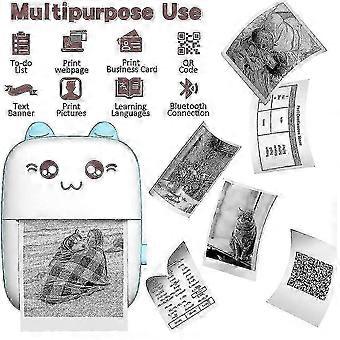
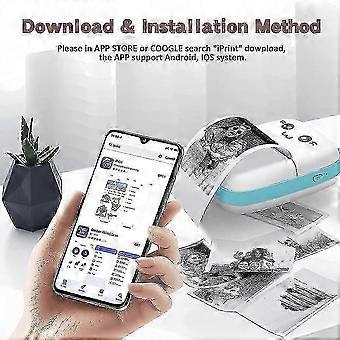
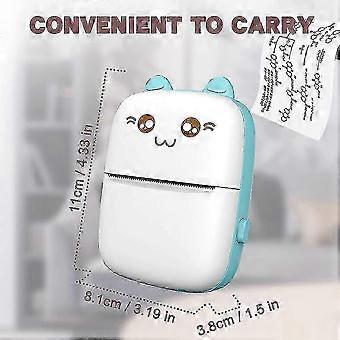
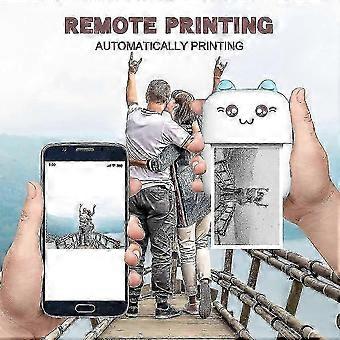
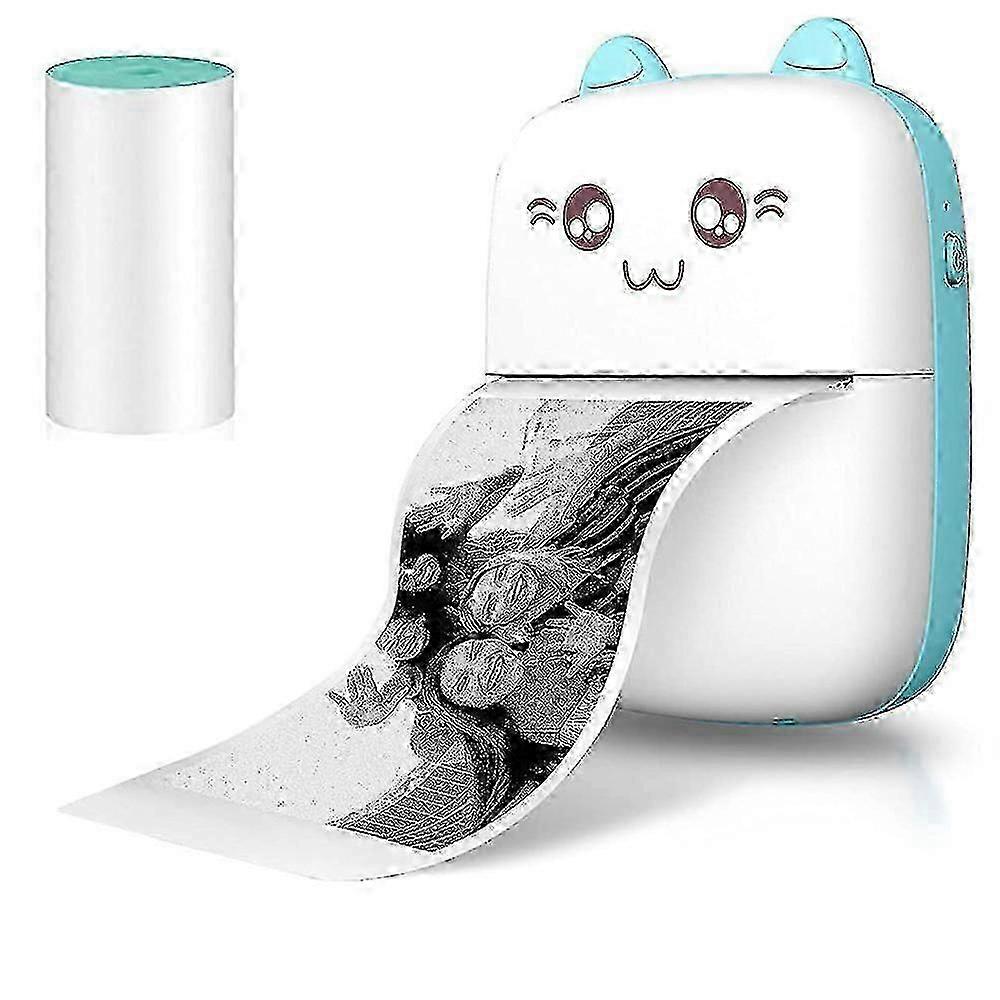
One Pocket mini printer and one Thermal paper in packPocket mini printer, ideal gift for girl or boy's birthday, party, Christmas, Easter. Make childhood colorful and happyWireless Mini Thermal Printer with Android or iOS APP for Pictures, Receipts, Notes, Lists, Messages, QR Codes Print.Small size with built-in 1000mAh battery that you can take it anywhere, easy to carry, USB bluetooth printer,High quality print roller, clear print and stable performance,Mini printer use 203dpi high resolution printing head and 5V interface, which makes your printing quality more outstanding.Lovely appearanceIt is an ideal gift for girl or boy's birthday, party, Christmas, Easter. How to use the portable photo mini printer a. Your phone must have Bluetooth function. b. Download the printer software .c. Register your account d. Turn on the Bluetooth of the printer and smartphone e. Connecting the printer on the smartphone software. How do I access the option to print 1.Install "iPrint" APPSearch and download the "iPrint" APP from the Apple store or Google APP market over mobile phone, tablet, or computer. 2. Turn on powerPress the POWER or SET key on the left side of the Pocket mini printer for more than 3 seconds to turn on the power, and the power LED will be blue. 3. Search and link printer over BluetoothClick: My > > My device, Search for Bluetooth device: GBXX-XXXX, Pair with GBXX-XXXX (if the small blue circle on the right appears, it means the pairing is successful). 4.Select print template or contentSelect various functions on the APP to print in various ways, For example: Photograph, diary, Temprate, Charactor Recognition, Document,Web pages,Click "Print" in the lower left corner to print. How to replace the thermal paper of printer 1.Press the latch on the right side of the mini printerthen open the cover. 2. Replace the thermal paper and pull out a small piece of paper to install the paper correctly. 3. Close the printer of cover,press the POWER or SET key more than 3S to turn on. 4. Link smart phone by Bluetooth,Select your favorite content then print them. Tips: a. If the sticker is too thick, there will be paper jam. If you buy the paper roll by yourself, please pay attention to the data before placing an order. (The paper roll width of 56mm and a diameter of 30mm. ) b. The printing depth can be adjusted. If it is too deep or too shallow, you can adjust it according to the photo. c. Please read the user guide carefully before you start to use the product. d. Need you search "iPrint" on App store or by Google. e.The Printer only print black and white photos, characters tips list or pattern, it can not print color photos.
  • Fruugo ID: 446816485-938425368
  • EAN: 5768929968720

Levering og returnering

Sendt inden for 2 dage

  • STANDARD: GRATIS - Levering mellem kl man. 02 februar 2026–man. 09 februar 2026 - GRATIS

Afsendes fra Kina.

Vi gør vores bedste for at sikre, at de produkter, du bestiller, leveres til dig fuldt ud og i henhold til dine specifikationer. Skulle du dog modtage en ufuldstændig ordre eller andre ting end dem, du bestilte, eller der er en anden grund til, at du ikke er tilfreds med ordren, kan du returnere ordren eller produkter inkluderet i ordren og modtage en fuld refusion for varerne. Se fuld returpolitik

Detaljer om produktoverholdelse

Se venligst overensstemmelsesoplysningerne, der er specifikke for dette produkt, beskrevet nedenfor.

Følgende oplysninger leveres af den uafhængige tredjepartsforhandler, der sælger dette produkt.

Producent:
De følgende oplysninger angiver kontaktoplysningerne for producenten af det relevante produkt, der sælges på Fruugo.

  • Hefei Yingaonan Trading Co., Ltd.
  • Hefei Yingaonan Trading Co., Ltd.
  • Room 503, Building 1, Jiaxing Garden, No. 9 Jiashan Road, Jiashan Road Sub-district, Yaohai District, Hefei City, Anhui Province
  • Hefei
  • CN
  • 230011
  • ashburbu@163.com
  • 19162050305

Ansvarlig person i EU:
De følgende oplysninger angiver kontaktoplysningerne for den ansvarlige person i EU. Den ansvarlige person er den udpegede økonomiske aktør med hovedsæde i EU, der er ansvarlig for overensstemmelsesobligationerne i forbindelse med det relevante produkt, der sælges til den Europæiske Union.

  • In Memoria Futuri SAS
  • In Memoria Futuri SAS
  • 3 RUE DU PAS DE LA MULE
  • Paris
  • France
  • 75004
  • infoapexchen@gmail.com
  • 33745713901