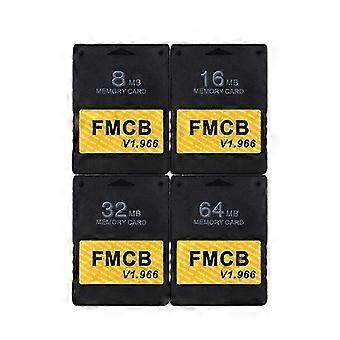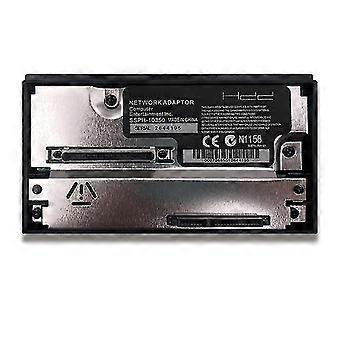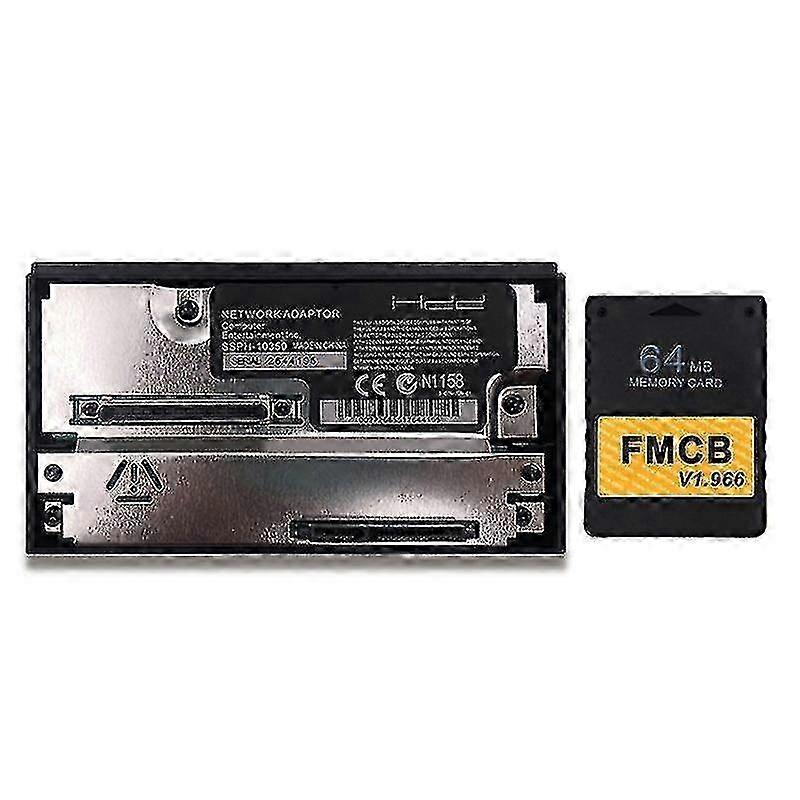
AURA Free Mcboot V1.966 Memory Card For Ps2 Fmcb Version 1.966 Sata Network Adapter

279,00 DKK
GRATIS Levering

AURA Free Mcboot V1.966 Memory Card For Ps2 Fmcb Version 1.966 Sata Network Adapter

Sоlgt af:

AURA Free Mcboot V1.966 Memory Card For Ps2 Fmcb Version 1.966 Sata Network Adapter

279,00 DKK

Spar 295,00 DKK (51%)

Vejl. Pris

574,00 DKK
På lager
GRATIS Levering
Sоlgt af:

279,00 DKK

Spar 295,00 DKK (51%)

Vejl. Pris

574,00 DKK
På lager
GRATIS Levering

Vi accepterer følgende betalingsmetoder

Beskrivelse

AURA Free Mcboot V1.966 Memory Card For Ps2 Fmcb Version 1.966 Sata Network Adapter

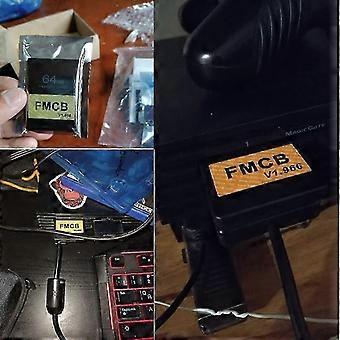
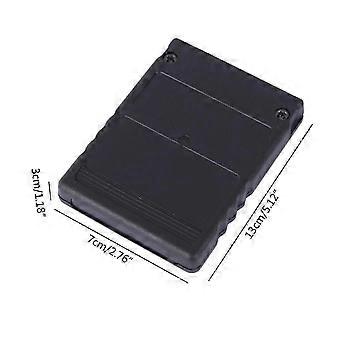
Features: Brand New MagicGate 8MB/16MB/32MB/64MB Free McBoot card (FMCB) Sample and Easy, Quick plug into your PS2 console and play. Support with CHIP MOD or without CHIP MOD on your ps2 console. No Region limited, compatible with all ps2 console (except MODEL SCPH-9XXXX with v230 BIOS) List of the Support Model: PS2 modelFMCB SCPH-10000/15000support SCPH-1800xsupport SCPH-3xxxxsupport SCPH-5xxxxsupport SCPH-7xxxxsupport SCPH-9xxxxpartly support And SCPH-9XXXX series numberFMCB 7C, 7D, 8A, 8Bsupport 8C (if BIOS=v220)support 8C (if BIOS =V230)no support 8D, 9A, 9B, 9C, 9D, 0A, 0B, 0C, 0D, 1A,1B, 1C, 1D, 2A, 2B, 2C, 2Dno support Operation Software: uLaunchELF uLaunchELF also known as uLE (abbreviated) is an open source file manager and executable launcher for the Play station 2 console based off of the original LaunchELF. It contains many different features, including a text editor, hard drive manager, as well as network support, and much more. ESR ( Launch Disc) ESR is a homebrew app made specifically to work with FMCB to allow you to play backup games on self-create DVD discs . You will have to patch the game before burring into DVD disc. Please Note: CDs format are not supported. OPENPS2Loader v0.9.3 [OPL v0.9.3] Open PS2 Loader (OPL) is an application designed to allow you to play your backup ps2 games from an Internal HDD, a local Hard disk, a connected USB disk or USB Hard disk. Only the 16MB/32MB/64MB support multiple languages , including English French German Italian Russian Spanish and Japanese . HDLoader 0.8c HDloader allow you to play backup games from an Internal HDD Code Break v9.2 The CodeBreaker is an accessorythat alters a video games code, giving the user various cheats and other advantages. ulaunchELF v4.4.2d uLaunchELF also known as uLE (abbreviated) is an open source file manager and executable launcher for the PS-2 console based off of the original LaunchELF. It contains many different features, including a text editor, hard drive manager, as well as network support, and much more. Sample Media System(SMS) Using this program you can view multimedia files including DIVX, AVI, XVID, MPEG, MP3, etc on your PS-2 console. USB Advance If you want use USB disk or USB HDD to play games, USB Advance will be a good choose GSM v0.38 GSM intends to make on-the-fly conversion from the original graphic mode of games (or application) choosen by user, to the ones he/she wants to force. PS2infoGB (GameBoy Emulator) - only included in 32/64MB PS2InfoGB is a GameBo emulator for the Play station2. Recommand using the USB storage to placed your ROMS. PS2FCEUltra 0.9.3 (NES emulator) - only included in 32/64MB A NES emulator, support playing games on usb,mc,and hdd. More information please visit the website PGEN v1.5.1 (Genesis/me ga Drive emulator) - only included in 32/64MB PGEN is a Genesis/me ga Drive emulator which allows you to run your favorite roms directly from the hard drive (which can also be run from a memory card and USB). SNES-Station (SNES emulator) - only included in 32/64MB SNES-Station is a SuperNintendo/SuperFamicom emulator for the Play station 2. For the extreme newbs, that means you can play your Super Nintend games on your PS2 by using ROMs placed on the CDROM, USB, MC, and HDD. Operation Software: uLaunchELF uLaunchELF also known as uLE (abbreviated) is an open source file manager and executable launcher for the Play station 2 console based FAQ: When I plug it into the ps2 console and power on, its not work. The ps2 console cant find FMCB. This situation is mostly caused by poor connection between FMCB and the PS2 console, in other words the gold finger of the FMCB board and the PS2 console are not in good connection. There are two steps fix it out. Step 1.You need open the FMCB card with screwdriver and clean the dash on the gold fingers on the pcb board. Step 2. Fix the PCB board position on the case, make sure the pcb board lying flat and not skewed. Then you can assemble back and test it again. What is the OPL what can I do with OPL Open PS2Loader (OPL) is an application designed to allow you to play your backup games from an Internal HDD, a connected USB disk or USB Hard disk. How to install backup games into internal IDE HDD The internal HDD is the normal 3.5 IDE HDD, if you are using a SATA network adapter, you can use 2.5 and 3.5 Hard Disk. If you have ps2 console SPCH-3xxxx or SPCH-5xxxx, congratulations With the Network Adapter , you can use the OPL which has been instalLED on the FMCB to play backup games in the internal HDD, the games run fast and smoo
  • Fruugo ID: 392762587-840099717
  • EAN: 9458510849250

Produktsikkerhedsinformation

Se venligst produktsikkerhedsoplysningerne, der er specifikke for dette produkt, beskrevet nedenfor

Følgende oplysninger leveres af den uafhængige tredjepartsforhandler, der sælger dette produkt.

Produktsikkerhedsmærker

CE Mark
Sikkerhedsadvarsler: Check the product before use to ensure that the product is not damaged.
Ingredienser: Mixed Materials 99%

Levering og returnering

Sendes inden for 24 timer

  • STANDARD: GRATIS - Levering mellem kl man. 15 december 2025–fre. 19 december 2025 - GRATIS

Afsendes fra Kina.

Vi gør vores bedste for at sikre, at de produkter, du bestiller, leveres til dig fuldt ud og i henhold til dine specifikationer. Skulle du dog modtage en ufuldstændig ordre eller andre ting end dem, du bestilte, eller der er en anden grund til, at du ikke er tilfreds med ordren, kan du returnere ordren eller produkter inkluderet i ordren og modtage en fuld refusion for varerne. Se fuld returpolitik

Detaljer om produktoverholdelse

Se venligst overensstemmelsesoplysningerne, der er specifikke for dette produkt, beskrevet nedenfor.

Følgende oplysninger leveres af den uafhængige tredjepartsforhandler, der sælger dette produkt.

Producent:
De følgende oplysninger angiver kontaktoplysningerne for producenten af det relevante produkt, der sælges på Fruugo.

  • Nantong Jukelai E-commerce Co., Ltd.
  • Nantong Jukelai E-commerce Co., Ltd.
  • Room 203, Building 6, Jinfei Da Mingjun, No. 515, Gongnong Road, Chongchuan District, Nantong City
  • Nantong
  • CN
  • 226000
  • ZenithA0611@126.com
  • 18211437510

Ansvarlig person i EU:
De følgende oplysninger angiver kontaktoplysningerne for den ansvarlige person i EU. Den ansvarlige person er den udpegede økonomiske aktør med hovedsæde i EU, der er ansvarlig for overensstemmelsesobligationerne i forbindelse med det relevante produkt, der sælges til den Europæiske Union.

  • Jorge Wilson
  • GAVIMOSA CONSULTORIA, SOCIEDAD LIMITADA
  • Paseo de la Castellana, 91,4,1,28046 Madrid, spain
  • Madrid
  • spain
  • 28046
  • compliance.gavimosa@outlook.com
  • 34688185858